To help reduce phishing risk, 1Password added an extra layer of protection and began rolling out a phishing prevention feature designed to stop users before they share passwords with scammers.
How 1Password phishing prevention works
When a user clicks a link whose URL doesn’t match a saved login, 1Password will not autofill their credentials. To avoid confusion, the product displays a warning message that prompts users to pause and reconsider before proceeding.
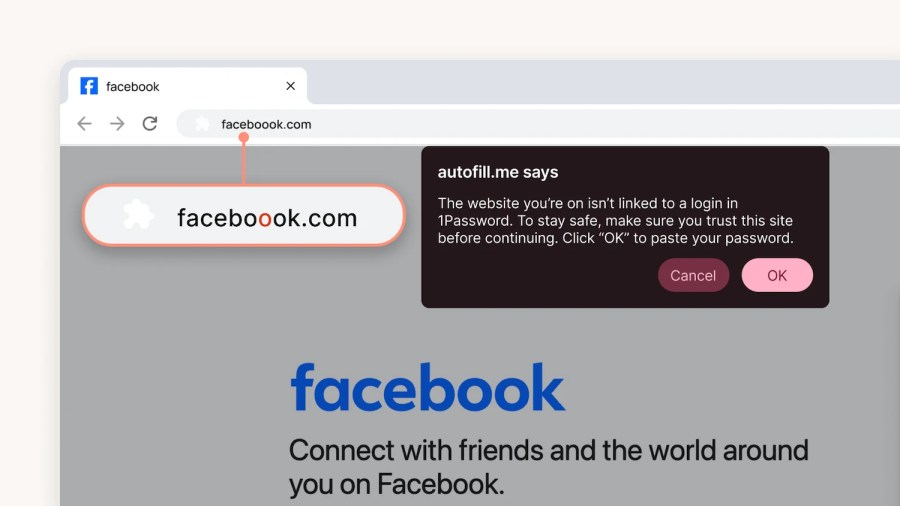
Source: 1Password
For individual and family plan users, the feature will be enabled by default when it becomes available. 1Password admins can enable it for employees in the Authentication Policies section of the 1Password admin console.